How to Make an AI Short Film
You're not waiting for permission anymore. No studio, no budget, no green light — just the idea you've been carrying around and the six steps below, in order. Do them in order and you'll finish a short. Skip step one and you won't.
This is the same process used inside AI-AI Kreativ Film Lab, condensed.
Step 01
A story in three acts
Before you open any AI tool, write your story on one page. Act one: who is your character and what do they want? Act two: what stands in the way, and what do they do about it? Act three: what changes? A three-minute short doesn't need more than that. Example: a girl finds a dragon-cat kitten (act 1), her town wants it gone (act 2), she chooses to hide it and grow up faster than expected (act 3). Everything you generate later serves this page. You do not need a story before this step. You need one idea. This step is where it becomes a story.
Step 02
Your character
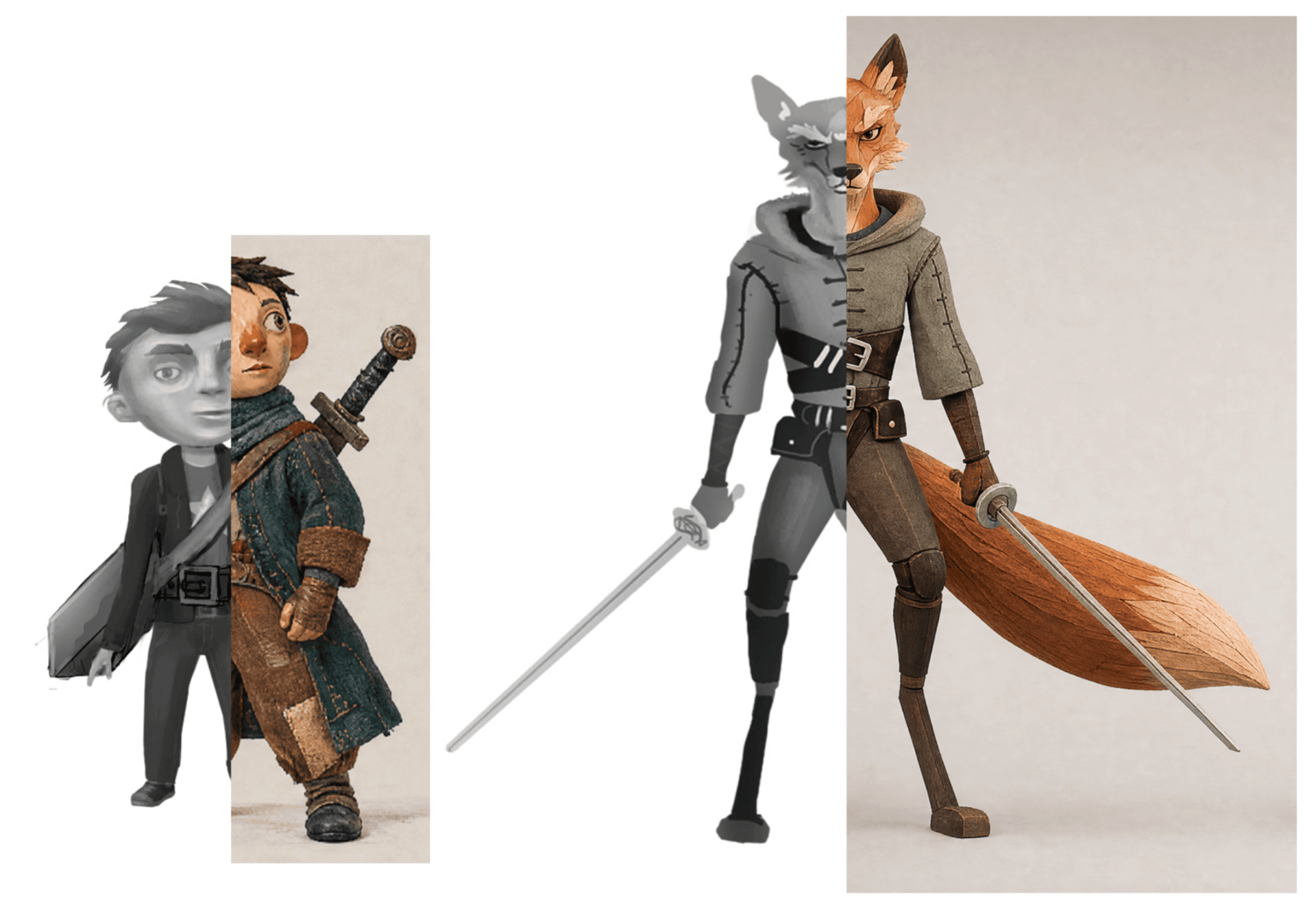
Design one character and lock them. Write a short description — age, silhouette, palette, one recognisable detail. Generate a reference sheet: front, three-quarter, profile, one expression, one full-body. Save it. From now on, every prompt references that sheet. Without this step your character quietly changes face every shot, and the film falls apart.
Lock the character before the shots. One sheet, from sketch to finish, keeps the same figure in every frame afterward. Step 03
Writing the shot
For each beat of your story, write one shot. A shot description names four things: subject, action, camera, light. Example: 'The girl kneels by the crate, opens the lid slowly. Low angle, 35mm, warm morning light from the left, soft shadows.' That's a directable shot. 'Girl and cat, cinematic' is not — the AI will guess, and you won't like the guess.
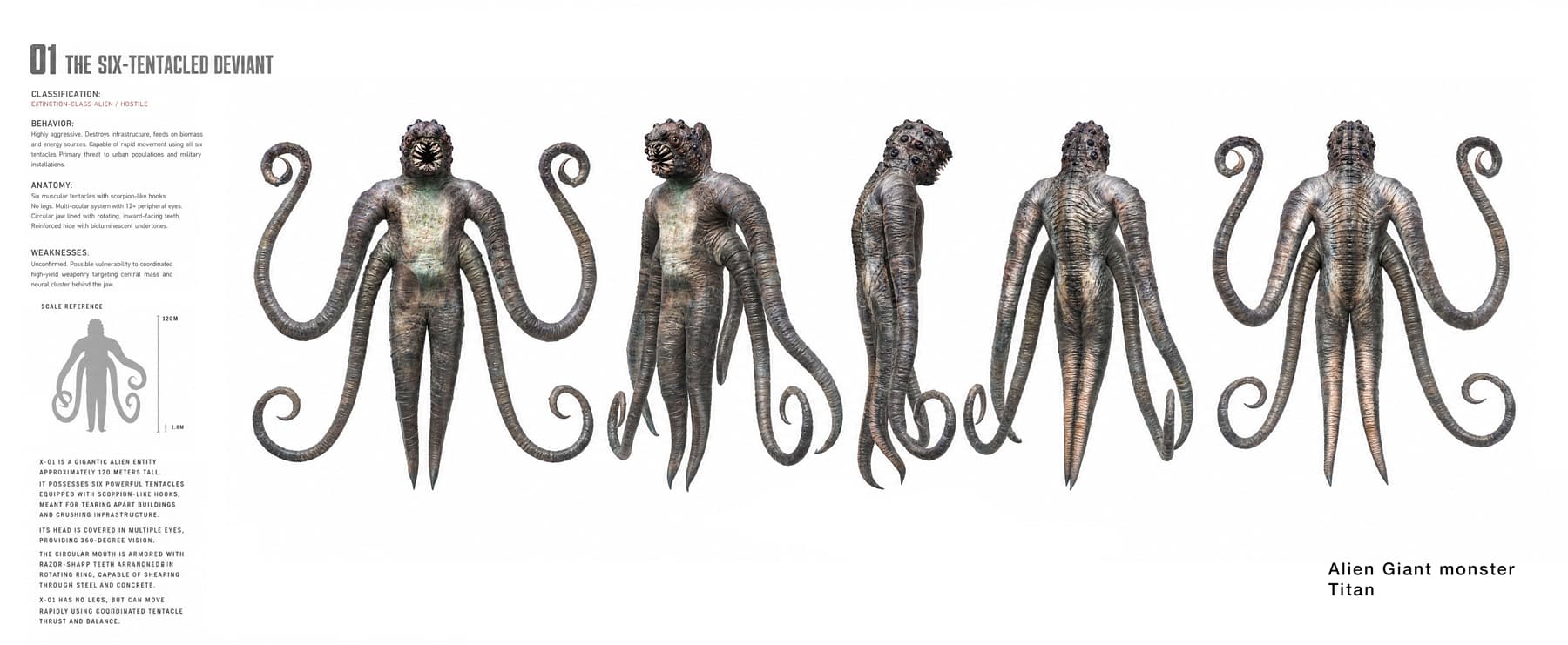
A directable shot starts with a decided subject. Silhouette, scale and anatomy are set on paper — then the prompt just describes what's already there. Step 04
Generating takes like a director
Treat every generation as a take, not a lottery ticket. Generate three to five takes per shot, pick the one closest to what you saw in your head, then adjust the prompt — not the seed — to push it closer. On a set you'd give the actor a note between takes. Do the same here. Save every version; you'll cannibalise old takes later.
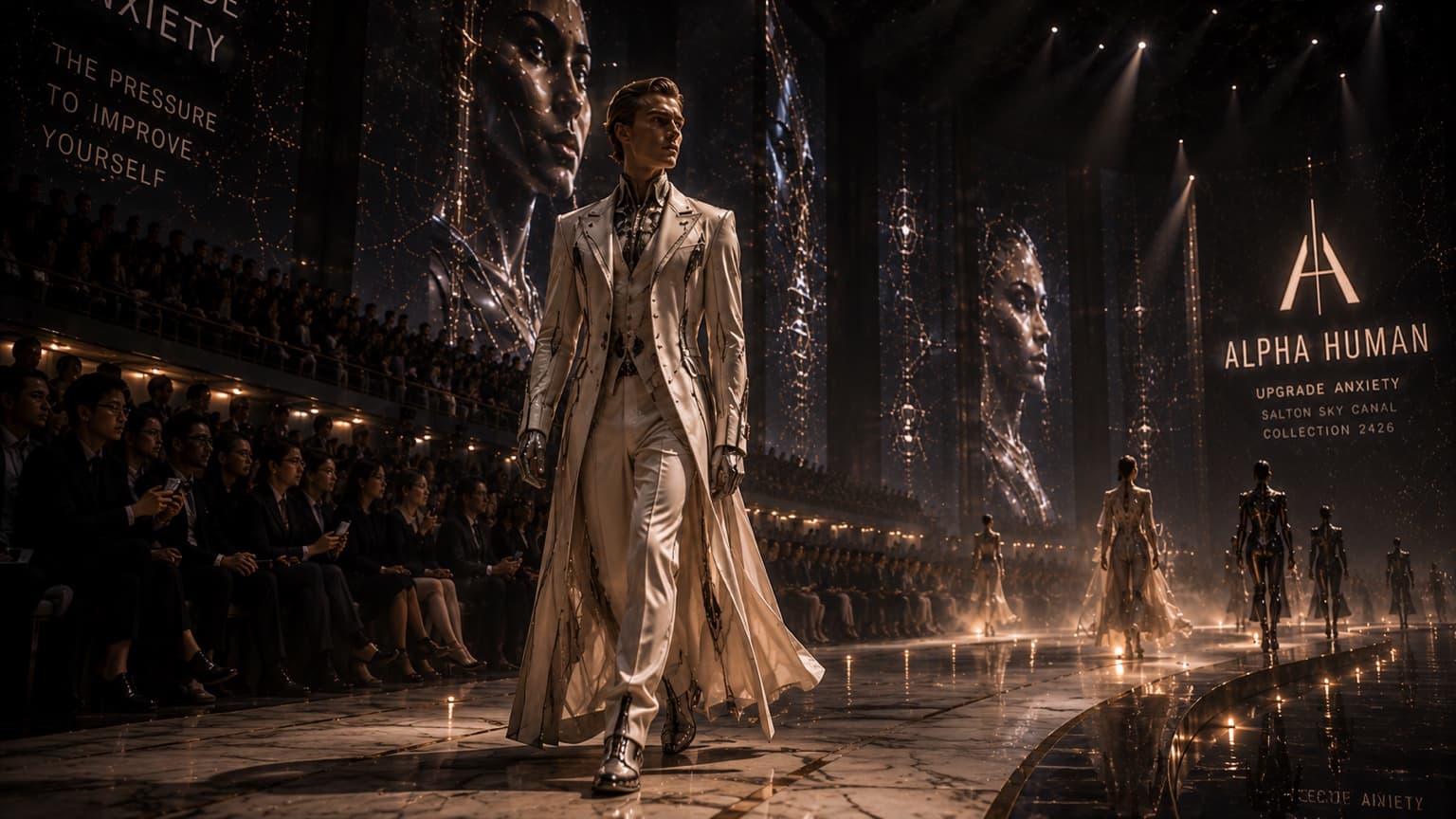
A take you keep looks like a decision, not a coincidence — because it was one. Step 05
Sound
Sound is half of film, and 90% of AI shorts skip it. Add three layers: ambience (room tone, wind, city), specific sound effects on actions (a door, a footstep, the crate opening), and music that doesn't fight the picture. AI can generate all three, but the mix is a decision. Keep music under dialogue; leave silence where the scene needs to breathe.
Step 06
Trim and color grade
Cut ruthlessly. If a shot doesn't earn its seconds, it's out. Then grade for a unified look: pick one palette (warm shadows, cool highlights, or the reverse) and apply it to every shot. This is what separates a film from a reel of prompts. Watch it once with fresh eyes, note two things to fix, fix them, export. Ship it before you talk yourself out of it.
Read the philosophy behind it in What is AI filmmaking?, or the FAQ. Inside the Film Lab, every step is opened up in real productions.
Join the Film Lab →The Film Lab is not for everyone. If you want AI to do all the work for you, this isn't your place. We use AI — but we stay in charge: your taste, your time, your point of view. If you treat your work as art, you'll fit right in.